A hands-on, click-by-click tour of the Prometheux app — from a fresh account to a running ontology and your first app.
You’ve created your account. Now what?This guide walks you through the platform end to end, entirely in the web app —
no code editor, API, or SDK required. By the end you’ll have connected data,
created an ontology, run your first concept, explored the results, and built a
app on top of them.
This is the app walkthrough. Once you’re comfortable clicking around and want
to learn the Vadalog language itself, continue with
Your First Ontology and the
Vadalog Reference.
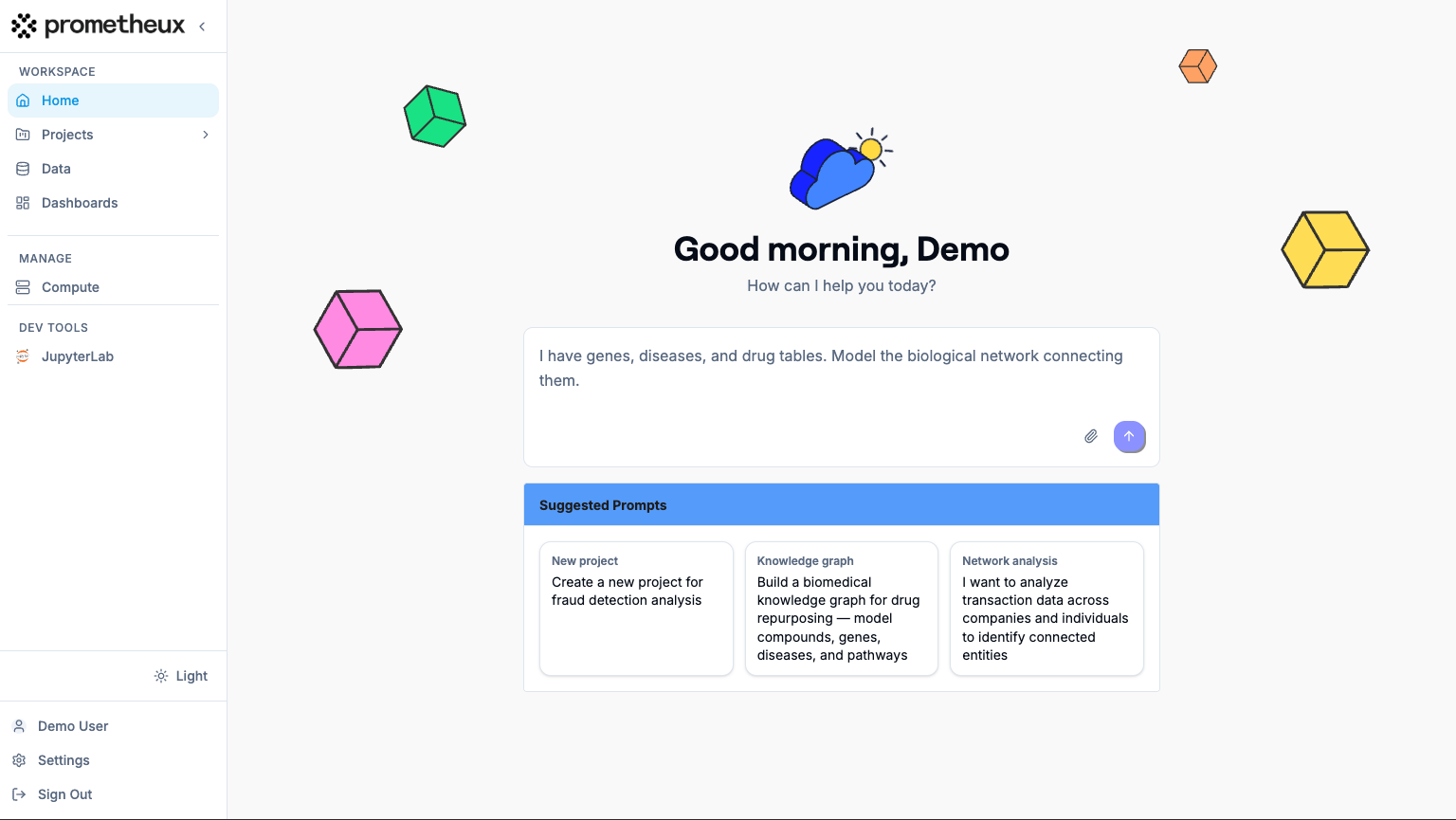
After signing in and completing the “Complete your profile” screen, you land
in your workspace. The home screen centers on the AI Assistant, and the
left sidebar is how you move around:
Sidebar item
Where it takes you
What it’s for
Home
/
The AI Assistant — ask questions or have it build things for you.
Ontologies
/ontologies
Create and open ontologies (where your work lives).
Data
/datasources
Connect data sources and upload files.
Apps
/apps
Build visualizations over your ontology output.
Apps
/apps
Published apps built on your apps.
Settings
/settings
Profile, API keys, models, and preferences.
A Getting Started checklist lives at the bottom of the sidebar and tracks
your progress through the first few tasks (connect data, create an ontology,
create an app, and more). It’s a handy companion to this guide.
The workspace on first login — AI Assistant in the center, navigation sidebar on the left, and the Getting Started checklist at the bottom of the sidebar.
Open Data (/datasources) from the sidebar. This page has two tabs:
Sources (database connections) and Files (uploads).
1
Open the connection dialog
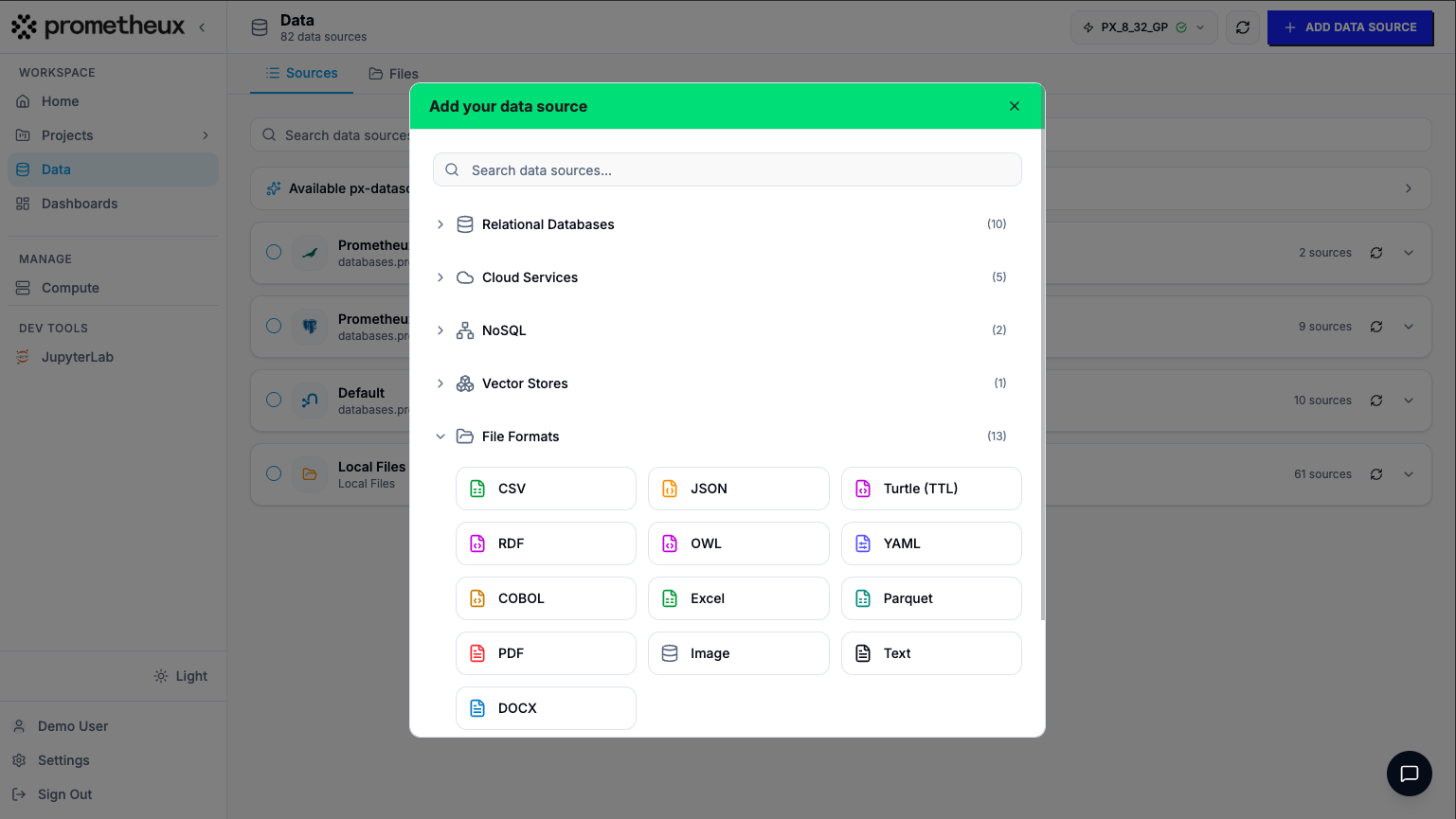
Click Add Data Source. The “Add your data source” dialog opens with a
searchable, categorized list of connectors — Relational Databases
(PostgreSQL, MySQL, SQL Server, Oracle, …), Cloud Services (Snowflake,
Databricks, BigQuery, Redshift, …), NoSQL (MongoDB, Neo4j),
Vector Stores, and File Formats (CSV, JSON, Parquet, Excel, …).
2
Pick a connector and fill in the details
Select your source type and complete the connection form. Fields vary by
type — for example, Snowflake asks for Username, Password,
Account URL, Database, and an optional Warehouse; PostgreSQL asks
for Host, Port, Database, Username, and Password.
3
No data handy? Use a demo source
On a fresh workspace, expand “Available px-datasources — no setup needed”
and pick a read-only Prometheux dataset. It opens the connection form
pre-filled — just review and connect, so you can explore the platform before
wiring up your own systems.
4
Or upload a file
Switch to the Files tab, click Upload, and choose a CSV, Excel, or
other supported file. Each uploaded file gets a Connect button that
registers it as a data source. (Excel workbooks let you pick which sheets to
connect.)
Once connected, your source appears in the Sources list with its record and
column (feature) counts. Use Preview to inspect the data in a paginated,
searchable table, and Run to use it inside an ontology.
The 'Add your data source' dialog — categorized connectors with a search box, and the 'Available px-datasources' demo section expanded.
An ontology is your workspace for turning data into answers — it holds your
concepts, schema, and apps.Open Ontologies (/ontologies). On a new account you’ll see
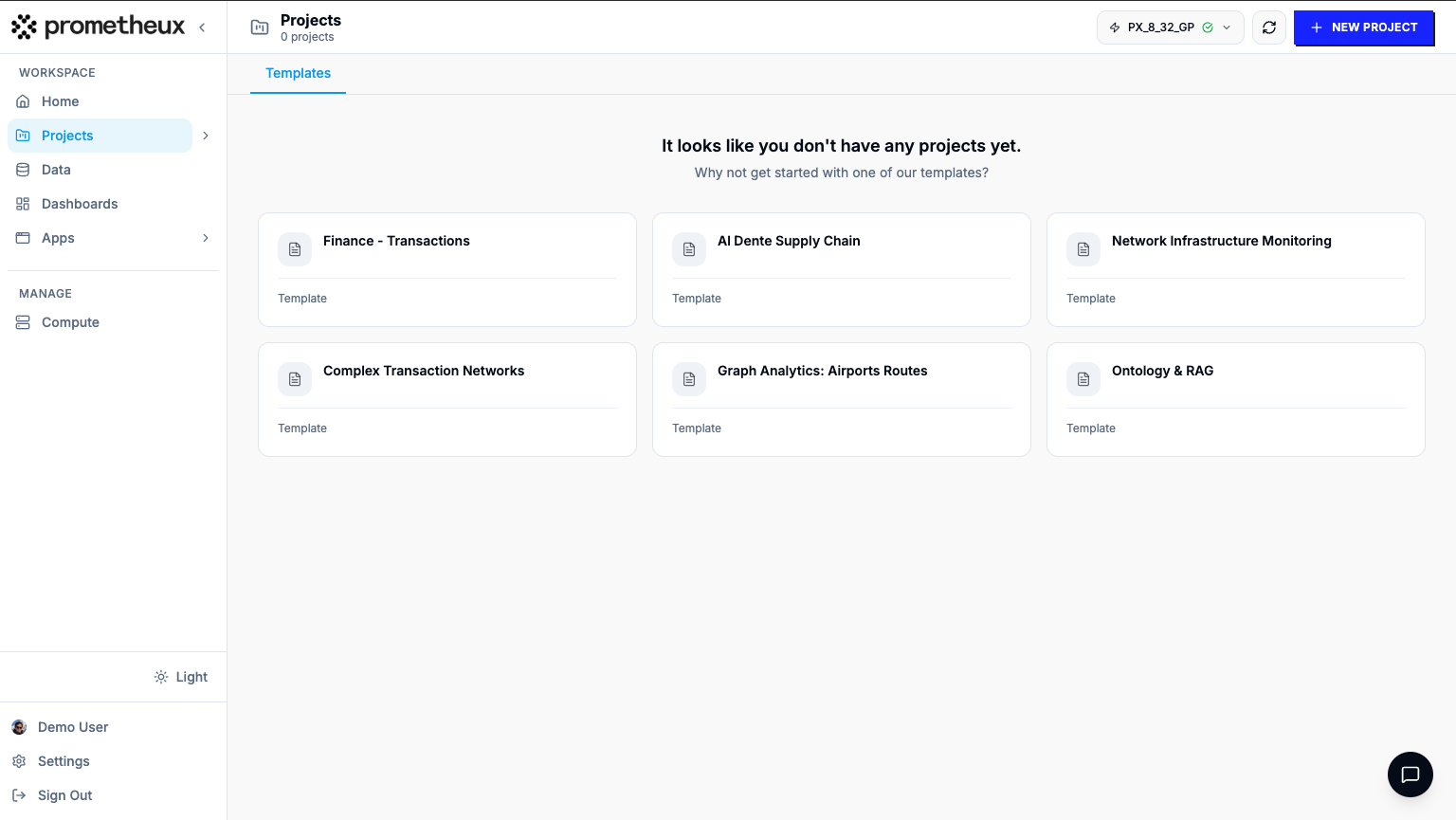
“It looks like you don’t have any ontologies yet.”
1
Start a new ontology
Click New Ontology (top-right). In the dialog, stay on the Create tab
and fill in:
Name — e.g. Company Ownership
Description(optional)
Context(optional) — a few notes about the ontology’s goal; the AI
Assistant reads this on every turn.
2
Create it
Click Create. You’re taken straight into the ontology editor, opened
on the Lineage view.
In a hurry? If a Templates tab is available, hover a template and click
Use → to spin up a ready-made ontology (schema, concepts, and sample data
included) that you can explore and adapt.
The Ontologies page empty state with the New Ontology button (top-right), and the New Ontology dialog showing the Name, Description, and Context fields.
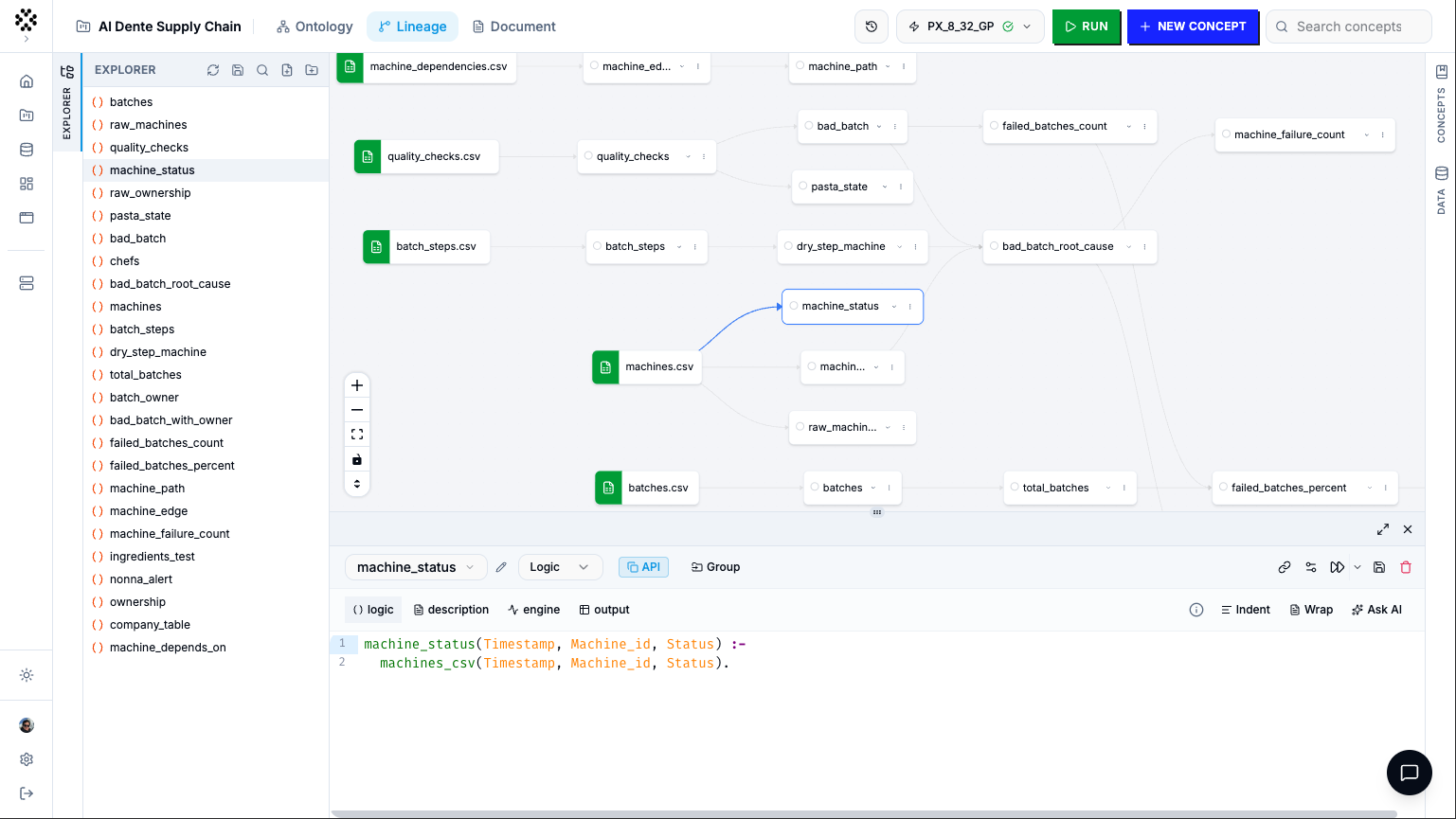
Inside the ontology editor, the Explorer panel on the left lists your
concepts — the logic that transforms data into results.
1
Add a concept
Click New cell in the Explorer header. A new concept cell appears.
2
Choose how to express it
Pick a concept type: Logic (Vadalog, the default), SQL, Cypher,
or Python. Write your logic in the editor.
3
Let the assistant write it for you (optional)
Type a plain-English description of what you want, then click the
✨ Generate Vadalog from natural language button. Prometheux drafts the
Vadalog for you; edit it as needed.
4
Save
Save with the Save cell button or ⌘S / Ctrl+S. An
unsaved cell shows a Modified badge.
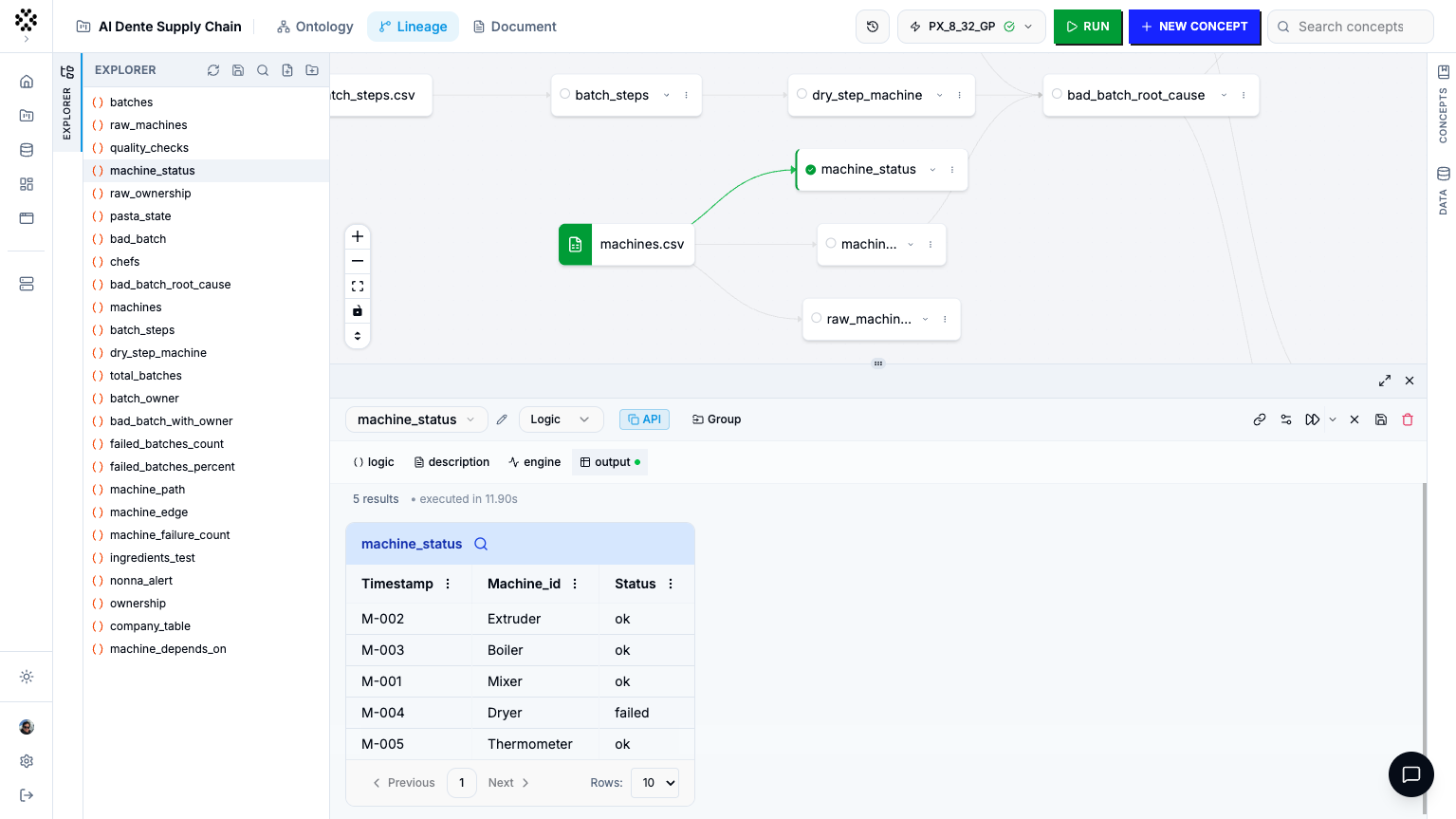
The ontology editor — the Explorer panel with a concept cell open, the concept-type selector (Logic/SQL/Cypher/Python), the CodeMirror editor, and the ✨ natural-language button.
With a concept saved, run it from the cell toolbar:
Run cell executes just the current concept.
Run workflow runs the concept together with everything it depends on.
Press Shift+Enter as a shortcut. While it runs, the button
becomes a Stop control and the results panel shows “Running query…”. When
it finishes, the Output tab opens automatically with your results.In the Output table you can:
Page through rows (Prev / Next, with a Rows size selector).
Search across columns and apply per-column filters (contains, equals,
<, >, …).
Switch to the Lineage view (open the Explorer rail) to see your concepts
as a dependency graph — click any node to jump into its editor.
A concept after running — the Output tab showing the results table with search and pagination, and the Lineage dependency graph alongside.
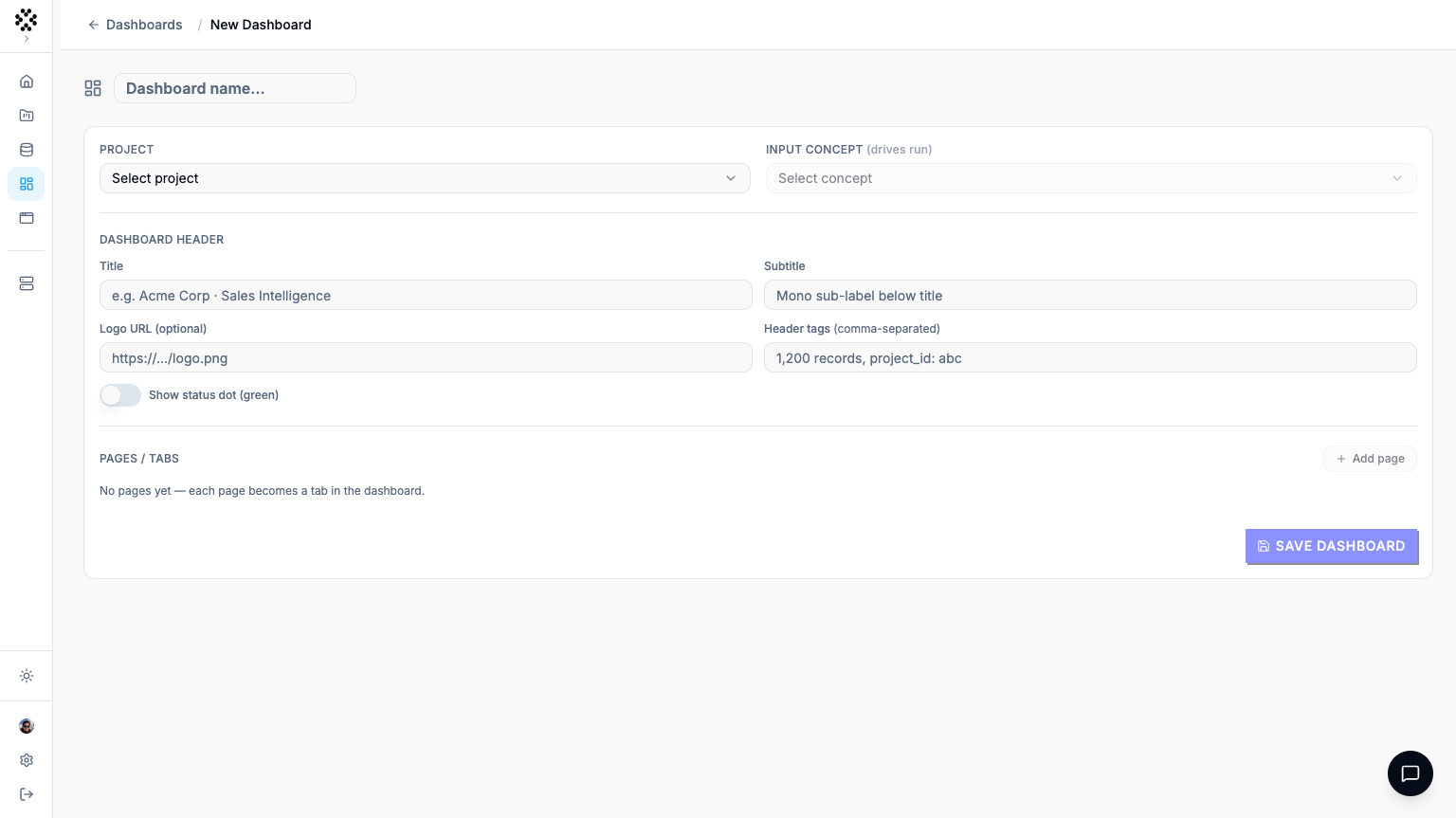
In the config panel, choose your Ontology and an Input concept (drives
run) — the concept whose run produces the data your widgets display. Set a
Title and any header details.
3
Lay out pages, sections, and widgets
Click Add page for a tab, Add section within it (choose Single,
Two columns, or Four columns), then Add widget. Pick a widget
type — Table, Line chart, Pie chart, or Progress bar — and
select the Concept it visualizes. For charts, map the X axis / Y
axis (or label / value) columns.
4
Save and run
Click Save, then open the app and click RUN. Prometheux executes
the input concept and populates every widget with live data.
The app editor — the config panel (Ontology, Input concept, pages/sections) on one side and the widget canvas with a chart and table on the other.